nuxt module
Search, add and remove modules in your Nuxt application with the command line.
Nuxt provides a few utilities to work with Nuxt modules seamlessly.
nuxt module add
Terminal
npx nuxt module add <MODULENAME...> [--cwd=<directory>] [--logLevel=<silent|info|verbose>] [--skipInstall] [--skipConfig] [--dev] [--packageManager=<npm|pnpm|yarn|bun|deno|aube|nub|upm>]Arguments
| Argument | Description |
|---|---|
MODULENAME... | Specify one or more modules to install by name, separated by spaces |
Options
| Option | Default | Description |
|---|---|---|
--cwd=<directory> | . | Specify the root directory of your Nuxt project |
--logLevel=<silent|info|verbose> | Specify build-time log level | |
--skipInstall | Skip npm install | |
--skipConfig | Skip nuxt.config.ts update | |
--dev | Install modules as dev dependencies | |
--packageManager=<npm|pnpm|yarn|bun|deno|aube|nub|upm> | Package manager to install with | |
The command lets you install Nuxt modules in your application with no manual work.
When running the command, it will:
- install the module as a dependency using your package manager
- add it to your package.json file
- update your
nuxt.configfile
Example:
Installing the Pinia module
Terminal
npx nuxt module add piniaRun it without a module name to pick from the modules compatible with your Nuxt version.
nuxt add is the same command, and also accepts layers.nuxt module remove
Terminal
npx nuxt module remove [MODULENAME...] [--cwd=<directory>] [--logLevel=<silent|info|verbose>] [--skipInstall] [--skipConfig]Arguments
| Argument | Description |
|---|---|
MODULENAME... | Specify one or more modules to remove by name, separated by spaces |
Options
| Option | Default | Description |
|---|---|---|
--cwd=<directory> | . | Specify the root directory of your Nuxt project |
--logLevel=<silent|info|verbose> | Specify build-time log level | |
--skipInstall | Skip dependency uninstall | |
--skipConfig | Skip nuxt.config.ts update | |
The command uninstalls the package and removes it from the modules array in your nuxt.config.
Example:
Terminal
npx nuxt module remove piniaRun it without a module name to pick from the modules the project currently uses.
nuxt module search
Terminal
npx nuxt module search <QUERY> [--cwd=<directory>] [--nuxtVersion=<3|4|4.2.0>] [--json]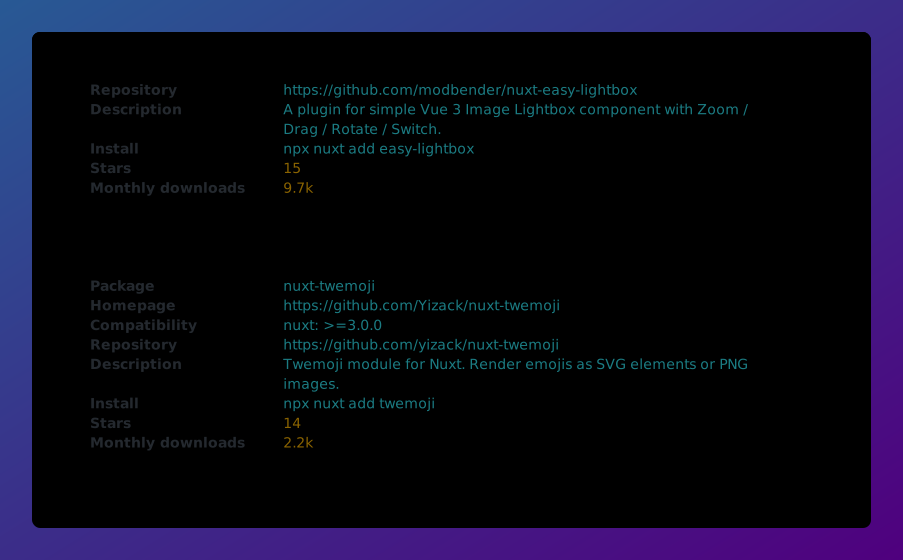
Arguments
| Argument | Description |
|---|---|
QUERY | keywords to search for |
Options
| Option | Default | Description |
|---|---|---|
--cwd=<directory> | . | Specify the root directory of your Nuxt project |
--nuxtVersion=<3|4|4.2.0> | Filter by Nuxt version and list compatible modules only (auto detected by default) | |
--json | Print output as JSON | |
The command searches for Nuxt modules matching your query that are compatible with your Nuxt version, showing each module's description with the matched text highlighted.
Example:
Terminal
npx nuxt module search piniaUse --json to get the results as machine-readable JSON.