nuxt dev
npx nuxt dev [ROOTDIR] [--cwd=<directory>] [--logLevel=<silent|info|verbose>] [--dotenv=<path>...] [--envName=<environment>] [-e, --extends=<layer-name>...] [--inspect] [--inspect-brk] [--tui] [--clear] [-f, --fork] [-p, --port=<port>] [--takeover] [--strictPort] [-h, --host=<host>] [-o, --open] [--open.url=<url|path>] [--clipboard] [--qr] [--tunnel] [--public] [--publicURL=<url>] [--https] [--https.cert=<path>] [--https.key=<path>] [--https.pfx=<path>] [--https.passphrase=<passphrase>] [--https.validityDays=<days>] [--https.domains=<domain>...] [--profile=<verbose>]The dev command starts a development server with hot module replacement at http://localhost:3000
Arguments
| Argument | Description |
|---|---|
ROOTDIR | The root directory of your Nuxt project (default: .) |
Options
| Option | Default | Description |
|---|---|---|
--cwd=<directory> | Specify the root directory of your Nuxt project | |
--logLevel=<silent|info|verbose> | Specify build-time log level | |
--dotenv=<path>... | Path to .env file to load, relative to the root directory. Can be repeated, with later files taking precedence. | |
--envName=<environment> | The environment to use when resolving configuration overrides (default is production when building, and development when running the dev server) | |
-e, --extends=<layer-name>... | Extend from a Nuxt layer | |
--inspect | Enable the Node.js inspector for server code (--inspect=[host:]port), and for the CLI process on the next port | |
--inspect-brk | Like --inspect, and wait for a debugger to attach to the CLI process before loading Nuxt (--inspect-brk=[host:]port) | |
--tui | true | Interactive terminal UI (pinned status panel, folded logs and single-key shortcuts) |
--no-tui | Disable the interactive terminal UI and stream logs instead | |
--clear | false | Clear console on restart |
-f, --fork | runtime-dependent | Serve the app from a forked child process (on by default wherever the runtime supports it) |
--no-fork | Disable forked mode | |
-p, --port=<port> | Port to listen on (default: NUXT_PORT || NITRO_PORT || PORT || nuxtOptions.devServer.port) | |
--takeover | Stop a dev server already running on this project and take its place | |
--no-takeover | Never stop a dev server already running on this project | |
--strictPort | false | Exit if the requested port is unavailable instead of using another one |
-h, --host=<host> | Host to listen on (default: NUXT_HOST || NITRO_HOST || HOST || nuxtOptions.devServer?.host) | |
-o, --open | false | Open the URL in the browser |
--open.url=<url|path> | Path or URL to open instead of the dev server root | |
--clipboard | false | Copy the URL to the clipboard |
--qr | Print a QR code for the public URL (enabled by default when one is available) | |
--tunnel | Expose the server via a Cloudflare quick tunnel | |
--public | Listen on all network interfaces and allow any host to connect | |
--publicURL=<url> | Public URL to display (used for QR code and clipboard) | |
--https | Enable HTTPS with a locally-trusted development certificate | |
--https.cert=<path> | Path to TLS certificate | |
--https.key=<path> | Path to TLS key | |
--https.pfx=<path> | Path to PKCS#12 (.p12/.pfx) keystore | |
--https.passphrase=<passphrase> | Passphrase for the TLS key or keystore | |
--https.validityDays=<days> | Validity in days for a generated self-signed certificate | |
--https.domains=<domain>... | Domain for a generated certificate. Can be repeated, or given as a comma-separated list. | |
--profile=<verbose> | Profile performance, writing a V8 CPU profile and a JSON report on exit. Use --profile=verbose for a full console report. | |
The port and host can also be set via NUXT_PORT, NITRO_PORT, PORT, NUXT_HOST, NITRO_HOST or HOST environment variables.
This command sets process.env.NODE_ENV to development.
Interactive terminal UI
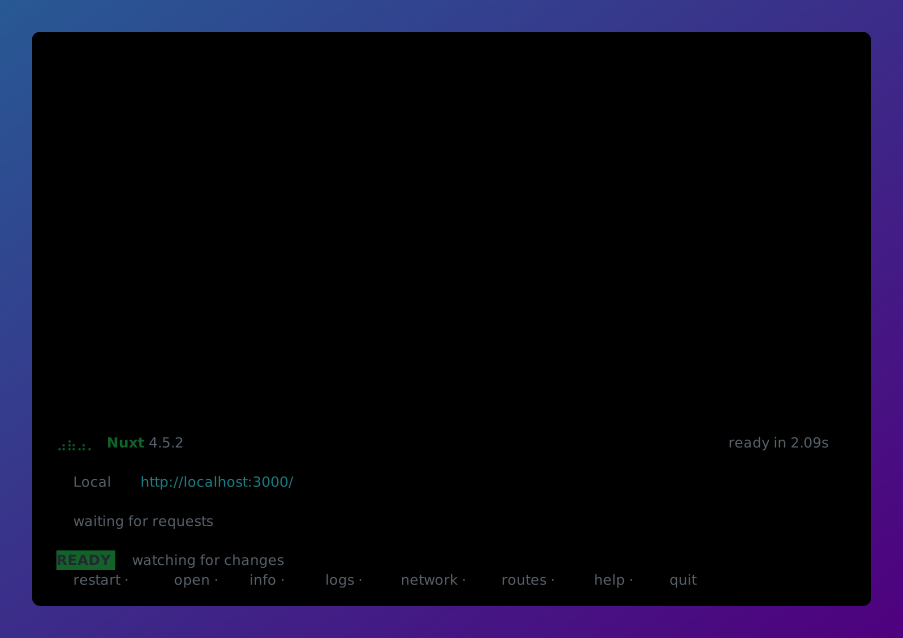
In an interactive terminal, nuxt dev renders a pinned panel: the server URLs, startup progress, the current status and a row of shortcuts, with logs folded above it. It falls back to a plain stream of logs when the output is not a terminal, in CI, when a debugger is attached, or when the terminal is too small.
| Key | Action |
|---|---|
r | Restart the dev server |
shift-r | Restart with a cleared cache |
o | Open the app in your browser |
y | Copy the server URL to the clipboard |
i | Show versions, URLs, QR code and session info |
l | Browse the log history |
e | Open the logs at the last error |
n | Browse served requests |
p | Browse pages and server routes |
c | Clear logs, requests and the console |
? | Show all shortcuts |
q | Quit |
Inside a view, y copies the selected row and shift-y copies every row the filters and search leave, keeping the newest when there is too much to paste. In the info view, shift-y copies the nuxt info table instead.
Tracing a request
In the network view (n), select a request and press enter to see where its time went. The trace draws everything the server did for that request on one timeline: route middleware, server route handlers, Nuxt plugins, hooks, data fetching, rendering, and requests your app made to other servers. Below the timeline, it lists how long Vite spent compiling modules for the request, broken down by Vite plugin and slowest module, followed by the logs the request produced.
The trace is built from the tracing channels that Nuxt and Nitro publish, so how much it shows depends on your versions. nuxt dev turns on the tracingChannel option for you; set tracingChannel: false in your nuxt.config to opt out.
Disabling the UI
Pass --no-tui or set NUXT_TUI=plain to stream logs instead. You can also force the UI on by passing NUXT_TUI=1 (though this doesn't do anything if the output is piped or redirected).
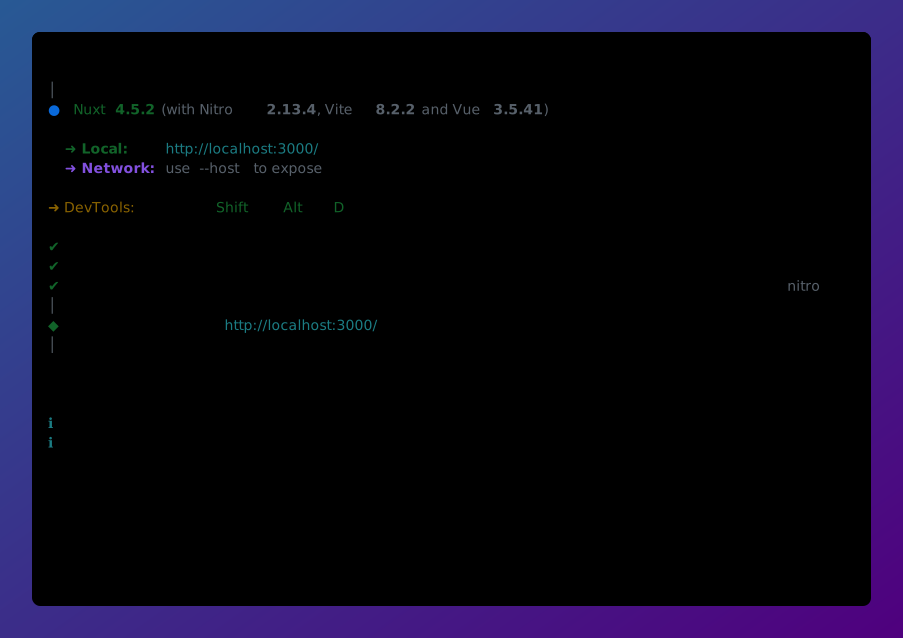
The plain output offers a smaller set of shortcuts: r to restart, o to open, u to show the URLs, qr for a QR code, copy to copy the URL, c to clear the console, h for help and q to quit.
Restarts
When the dev server reloads or restarts it says what caused it, and a change to nuxt.config also lists the keys that actually differ, so a restart triggered by a formatting-only edit is distinguishable from one that changed your configuration. A reload happens in place; a restart replaces the process, which is what a change to nuxt.config or to an installed dependency needs.
Taking over a running dev server
A dev server records itself in nuxt.lock inside your build directory, so a second nuxt dev for the same project reports the one already running instead of racing it for the port. Pass --takeover to stop it and start in its place, or set NUXT_IGNORE_LOCK=1 to run a second server anyway (unsupported).
With --open, the prompt also offers to open the running server in your browser without stopping it, which is the default when that server was started in a terminal. --open.url is resolved against the running server's URL.
The same lock file is how nuxt curl and nuxt task find the server to talk to.
HTTPS
--https serves over TLS, generating a locally-trusted certificate with mkcert when it is installed and a self-signed one otherwise. --https.cert and --https.key use a certificate you already have, and --https.pfx with --https.passphrase a PKCS#12 keystore.
NODE_EXTRA_CA_CERTS to the certificate authority that issued it.Debugging
--inspect opens the Node.js inspector for your server code: server routes, middleware and server-side rendering, which run in a Nitro worker thread. It accepts an optional [host:]port and defaults to 127.0.0.1:9229, so Chrome DevTools (chrome://inspect) and most editors find it without configuration. Your debugger reconnects automatically when the server reloads.
Debugging the CLI
nuxt.config, modules and build hooks run in the CLI process instead, which gets its own inspector on the next port (9230 by default). Add localhost:9230 as a target in chrome://inspect (Configure...) or point your editor at it.
To debug code that runs while Nuxt is loading, use --inspect-brk. The CLI process then waits for a debugger to attach to the next port before loading Nuxt:
npx nuxt dev --inspect-brk--profile writes a V8 CPU profile to nuxt-dev.cpuprofile in your project when the process exits. --profile=verbose also prints a full report to the console.
perf-report.json and perf-trace.json come from Nuxt's own build profiling, which needs Nuxt v4.4 or later. On an earlier version the CPU profile is still written.Environment variables
| Variable | Purpose |
|---|---|
NUXT_PORT, NITRO_PORT, PORT | Port to listen on, in that order of precedence |
NUXT_HOST, NITRO_HOST, HOST | Host to listen on, in that order of precedence |
NUXT_TUI | 1 to force the interactive UI on, plain to opt out |
NUXT_TERM_THEME | light or dark, when the terminal's background cannot be detected |
NUXT_IGNORE_LOCK | 1 to ignore a dev server already running for this project |
NUXT_IGNORE_UPDATE_CHECK | 1 to stop the CLI checking for newer Nuxt releases |